

The Best $600 Home Office PC Build – October 2026
 Maximum Office Productivity for the Minimum Price!
Looking to build the best possible home office PC for around $600? No problem! This guide lists all the parts you’ll need to put together a balanced computer that has the power to handle any office task. And luckily, while low-cost video cards are nearly extinct, this office PC’s built-in video means you can get your system up and running without wasting a dime!
This Month’s Build, Powered by Intel
For October 2026, we’ve been able to pull together a system that lands a bit above our $600 budget, but with highly-elevated CPU, RAM and SSD prices, it’s the best we can do. What we’ve come up with is a system powered by the powerful Intel Core i3-14100 4-core processor with built-in graphics (a critical feature that saves you hundreds of dollars!), plus 16GB of DDR4-3200 RAM and a 500GB PCIe Gen 4 SSD. It’s plenty to get you started, with upgrade potential down the line should you want to upgrade any of those components.
To allow expandability, the $600 Home Office PC Build is powered by a 500W power supply and housed in a compact yet roomy micro-ATX Case. These are industry-standard components, meaning you can upgrade for years to come. We’ve listed some of our top recommendations for accessories and upgrades, including a gaming-grade video card, later in this guide!
The DIY vs. Pre-Built Question
In addition to the DIY PC build we profile in this guide, you may wish to consider the pre-built mini PC we list as an alternative. It offers much better performance and takes up just a fraction of the space. The tradeoff is that it can’t be upgraded with new CPUs or video cards, but for home office use, it’s actually quite amazing, and honestly our top pick unless you’re a hobbyist.
Parting Thoughts
Need to accessorize your new Home Office PC? Just scroll down to the end of this guide for our top picks, or check out our dedicated Monitor Buyer’s Guide, Speaker/Headset Buyer’s Guide, and Wireless Networking Buyer’s Guide!
Note that this guide provides direct links to Amazon and Newegg in the US, and our Amazon links will auto-convert for readers in the UK, Canada, and the EU. with automated substitutions where required. If you decide to purchase any of the products we list, please use the links provided, which helps support continued development of these guides.
The Pre-Built Option
-
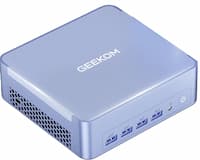 The Ultra-Compact Small Office PC –
Geekom AX8
$640The Guru’s TipTake everything you want in a modern PC and then scale it down, and you get the AX8. It offers a slim and sleek design that allows it to be hidden away or shown off (it’s about 5″ square and 2″ thick). Despite these trim proportions, it’s equipped with the ultra-fast AMD Ryzen 7 8745H 8-core, 16-thread CPU with boost to 5GHz, and built-in Radeon 780M graphics. Supporting this chip is 16GB of DDR5 RAM, a 1TB Gen 4 solid-state drive, and built-in WiFi 6E. It has an incredible 8 USB ports in total (including dual USB 4 Type-C ports), and it can simultaneously support four monitors on the Type-C ports plus the dual HDMI ports. To top it off, Windows 11 Pro is pre-installed and included in the price!We want to make clear that this pre-built PC is actually much faster than the DIY PC we spec out below (as in about 2x faster). While all PCs have gone up in price due to RAM and SSD shortages, OEMs have some inventory of parts available to allow them to hold the price down. So unless you are committed to building your own or need something expandable, we recommend this mini PC.
The DIY Option
-
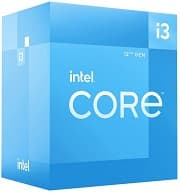 CPU –
CPU –Intel Core i3-14100
$144 The Guru’s TipThere are very few low-cost CPUs left on the market, and even fewer with built-in graphics. The 14100 is currently the least expensive CPU with this feature, and it's all a great all-around CPU!
-
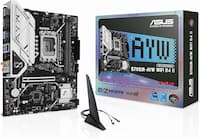 Motherboard –
ASUS B760M-AYW WiFi D4
$110 The Guru’s TipThis has everything you need at a great price!
-
 Memory –
OLOy 2x8GB DDR4 3200
$125 The Guru’s TipThis DDR4 memory kit is a bargain given how much DDR5 kits cost these days.
-
 Solid-State Drive –
TeamGroup MP44L 500GB
$103 The Guru’s TipThis drive comes in a number of sizes, but 500GB is the perfect starter size for a home office PC!
-
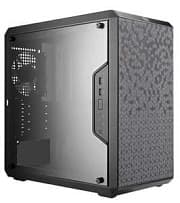 Case –
Cooler Master Q300L
$40 The Guru’s TipThis is by far the lowest-priced case on the market from a reputable manufacturer - we hope Cooler Master never stops offering this loss leader!
-
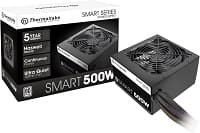 Power Supply –
Thermaltake Smart 500W 80+
$40 The Guru’s TipThis is an exceptional deal coming from a major, trusted manufacturer!
-
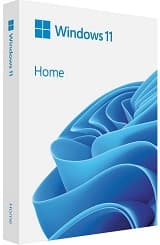 Operating System –
Windows 11 Home (USB) @Newegg
$129 The Guru’s TipWindows 11 is the OS you want on your new system!
Optional Products
-
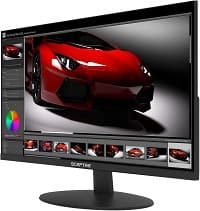 The 24-inch Small Office Monitor –
Sceptre E248W-FW100T 24-Inch Monitor
$78 The Guru’s TipTo use the built-in speakers, connect this monitor with an HDMI cable.
-
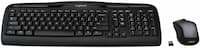 The Basic Wireless Keyboard/Mouse Combo –
Logitech MK335 Wireless Keyboard and Mouse Combo
$40 The Guru’s TipThis combo uses a single tiny USB receiver to connect both peripherals!
-
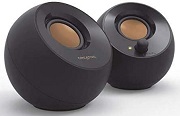 The Basic PC Speakers –
Creative Pebble 2.0
$21 The Guru’s TipTo connect these, you'll use a 3.5mm cable for audio and USB for power, both to your PC. No connection to the wall required!
-
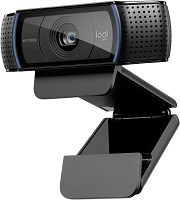 Webcam –
Logitech C920x Pro HD Webcam
$70 The Guru’s TipWe advise you not to buy any Logitech webcams from third-party sellers. They are likely to be used or counterfeit.
Total Cost: $691
The Pre-Built Option
The DIY Option
-
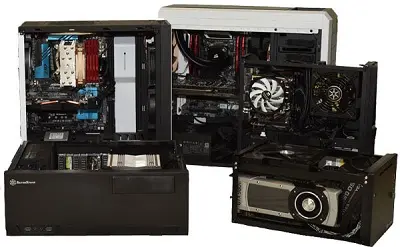
The TBG DIY PC Build Guides
View all of TBG’s DIY PC Build Guides! This is where you’ll find all the best PC builds on the ‘net, from ultra-compact home office PCs to massive gaming towers.
-
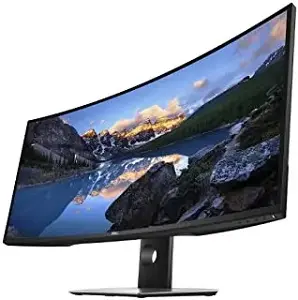
The Monitor Buyer's Guide
Upgrade the view for your PC with a new monitor - we list the best in our buyer's guide!
-
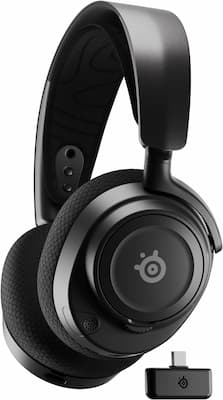
The Headset/Speaker Buyer's Guide
Upgrade your audio experience with one of our top-rated speakers or headsets!
-
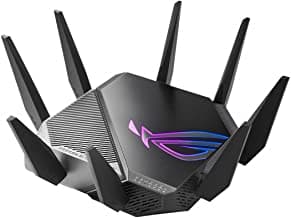
The Wireless Networking Buyer's Guide
Don't bog down your new PC with an old network... check out our recommended wireless gear to give your PC a boost!